With this out of the way, it’s your blog. Reblog what you want, not what people tell you to reblog.
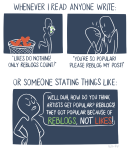
It’s fine asking for help for reblogs, but please don’t guilt trip other people by doing so. The number of reblogs does not define who you are as an artist.
Hey fellow creators! So, as some folks may have recently become aware, Tumblr posts with external links don’t show up in relevant tags (as detailed in this post). IE, if you post a Steven Universe picture and tag it “Steven Universe” and there’s an external link in the post, it won’t actually show up in the “Steven Universe” tag! This is very frustrating! What if I make a post and want to link to my Twitter in the description? What if I want to link people to my online store when I post a piece of art? What if I want to link to a YouTube video and still have it show up under the relevant tags I put into the post?
Hold on to your butts kids cuz here’s how we cheat the system.
—
The thing about Tumblr’s Anti-Linking nonsense works is that it only blocks external links. Internal links are fine. So if you wanted to post a link to another Tumblr post, or someone’s Tumblr blog, you’re good. But if you wanted to link to your Twitter page or something, you’re screwed. So, all we gotta do is make your external link into a Tumblr link. Sounds weird. I know. But here’s how it works.
First, go to your Tumblr blog. Hit the “Edit Theme” tab.
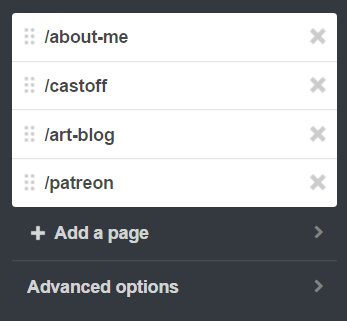
In the theme editor sidebar, scroll all the way to the bottom, the “Page” section. (Here’s what mine looks like- I already have a few of these set up)
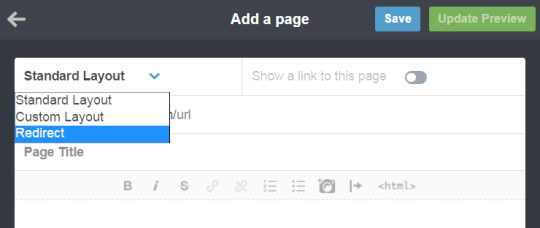
Hit “Add a Page”, and this window will pop up. By default it’s set to be a Standard Page. Hit the dropdown and select “redirect”.
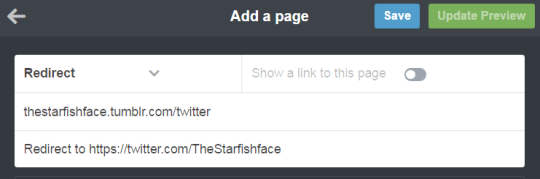
For this example, let’s say I want to link to my Twitter page. I’ll name the page “Twitter” (this is what the redirect URL will end up being- IE yourblogname.tumblr.com/Twitter), and insert my Twitter URL under the “Redirect To” tab. Leave “Show a link to this page” turned off. (Unless you want the link to show up on your blog, in which case, turn it on. Do what you want, I’m not your mom)
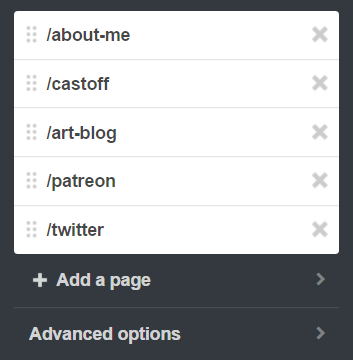
Hit “Save”, and your new page should now show up on your Page list!
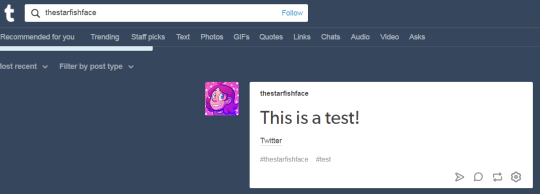
And done! So now, let’s say I wanted to use the new link in the text portion of a post. Simply use the Tumblr redirect link instead of the direct URL! As a test, I linked to my Twitter in a test post, using the redirect link instead of the direct link, and there it is in the tag! Success!
I recommend making a Redirect Page for any external links you’ll be using frequently. I like to post links to my webcomic/Twitter in posts fairly often, but doing that made me take a pretty big hit since my posts wouldn’t show up in tags. With this method, I can keep the external links, and have stuff show up when I tag it! Workarounds are fun!
So this happened to me a few days ago, and I thought maybe sharing my experience could help someone if this happens to them in the future.
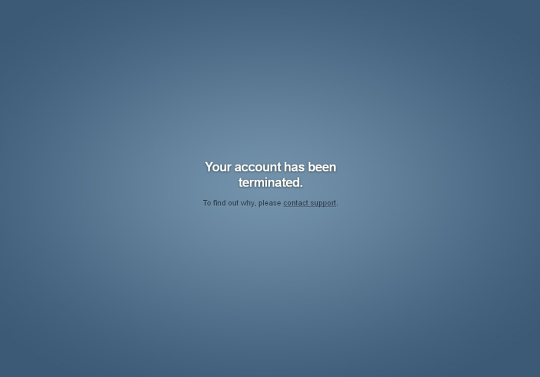
I was checking my Tumblr when suddenly I was logged out from it and given the usual Log In page. When I entered the details to access my blog, this appeared:
My heart skipped a bit. I tried to re-enter the details (maybe I got them wrong the first time), but no, the same message about Termination was shown. I typed my blog URL and got the
ominous
:
Same thing with my sideblogs.
So obviously I was very worried. I contacted the Tumblr support but didn’t get an answer for 48 hours, only an automated reply. I already started mentally saying goodbye to my blogs, my posts and all my followers, when finally I recieved their answer:
(In case you can’t see the picture, it says:
Hello, We’ve restored your account. Thank you for bringing this problem to our attention. We’re sorry that it occurred, and we’ll do our best to make sure that it doesn’t happen again. You should now be able to log in just fine with your email address and password. Please let me know if there’s anything else I can help you with.
My blog was restored and working normally. All my sideblogs were intact , and so were my posts and my followers. The only thing that was lost, is all the conversations by Messages. The people with whom you talked are still there, but all the history of the conversation is gone.
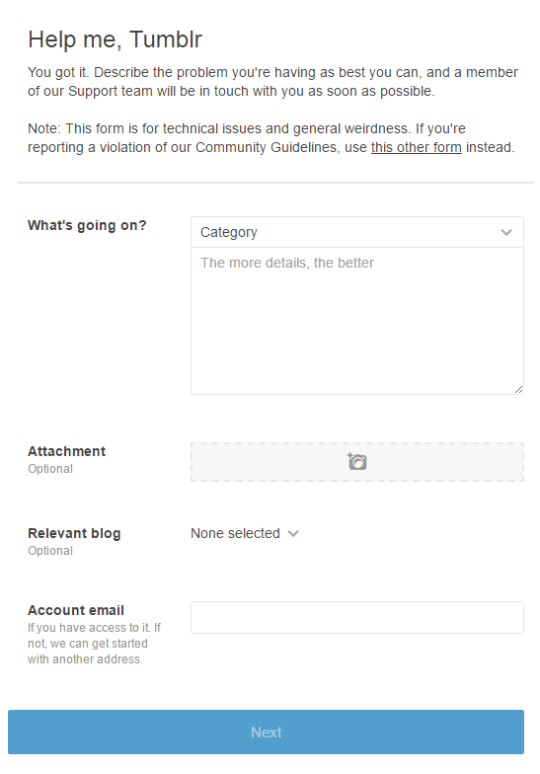
Alright so here is what you should do if this happens to you. Don’t panick like I did Click on the “contact support” link provided in the terminated window. Alternatively, go on Tumblr.com/support.
Politely explain your situation – give your blog URL, your mail, tell what happened exactly. I understand that the situation can be upsetting, but the person who will read the message and try to help you isn’t directly responsible for the termination of your blog. And sending an angry message with insults isn’t the best way to get your blog back either.
Wait for the reply of the team. If you feel like it takes too much time (more than few days for example), try to fill the Help/Support form again.
Once the team is in contact with you, keep the polite tone. Normally if your blog didn’t go againt the Tumblr rules and policies, you should getit back like I did.















 Ignisfilimundi